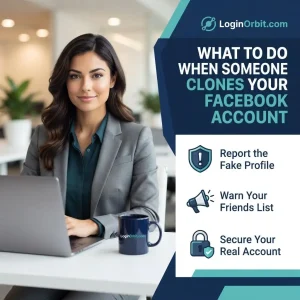
Has someone sneaked into your Facebook account? You’re not alone. It’s confusing, frustrating, and honestly, a bit scary.
Picture this: weird posts showing up on your timeline. Messages you didn’t send. Personal info slipping away. But don’t panic. You can fix this. And I’ll walk you through easy steps to take back control and lock down your account.
How to Know If Your Facebook Is Hacked
Catch the signs early. It’s like spotting smoke before the fire spreads.
- Strange posts or messages you didn’t write. Friends might tell you they got weird links from you.
- Login alerts from unknown devices. Facebook usually pings you when a new device logs in. If you didn’t do it, someone else did.
- Changed account details. Email, phone number, or password switched out without your say-so? That’s a red flag.
- Friend requests you didn’t send. Hackers add fake profiles to spread scams.
- Settings acting up. Privacy or security options changed? Hackers might be messing with your controls.
What to Do Immediately
First, don’t freeze. Act fast.
- Change your password. Make it strong and unique. Mix letters, numbers, and symbols. Avoid anything obvious.
- Check where you’re logged in. Go to your Facebook settings, look under “Security and Login.” Log out of any sessions you don’t recognize.
- Turn on two-factor authentication (2FA). It adds an extra lock—usually a code sent to your phone—to keep hackers out.
- Review your account info. Make sure your email and phone number are correct. Remove apps or devices you don’t recognize.
- Tell your friends. Let them know your account was hacked so they don’t fall for any scammy messages from your profile.
- Report it to Facebook. Use their Help Center to flag the hack and get support.
Resetting Your Password Safely
Resetting your password is the first step to reclaim your account.
- Go straight to Facebook’s official site. Don’t click shady links in emails or messages.
- Use the “Forgot Password?” option. Enter your email, phone, or username to get a reset code.
- Create a strong new password. At least 12 characters, mix it up. No “password123.”
- Enable 2FA. This adds a second step so hackers can’t get in even if they have your password.
Using Facebook’s Recovery Tools
I know—it feels overwhelming. But Facebook offers tools to help you get back in quickly.
- Visit the Help Center. Search for “Hacked and Fake Accounts.”
- Follow the step-by-step guides. They’ll walk you through verifying your identity and securing your profile.
- Be ready to upload ID or answer questions. It’s annoying but worth it to prove you’re the real owner.
Check Your Account Activity
Once you’re back in, don’t just relax. Look around.
- Review login history. See where and when your account was accessed.
- Delete strange posts or messages. Hackers often send harmful links.
- Fix any changes to your profile info. Correct emails or phone numbers if they’ve been altered.
Why Enable Two-Factor Authentication?
Think of 2FA as a second lock on your front door.
- You enter your password (first lock).
- Then you enter a code sent to your phone or generated by an app (second lock).
- This makes it way harder for hackers to get in, even if they have your password.
How to turn it on:
- Go to Settings > Security and Login.
- Find “Use two-factor authentication.”
- Pick your method (text messages or authenticator app).
- Follow the prompts to set it up.
Review Connected Apps and Devices
Sometimes hackers sneak in through third-party apps or forgotten devices.
- Go to Settings > Apps and Websites. Remove anything suspicious.
- Check “Security and Login” for devices logged into your account. Remove any you don’t recognize.
Boost Your Privacy Settings
Small changes here can keep strangers out of your business.
- Limit who can see your posts to “Friends” or custom lists.
- Keep personal info like phone number and birthday private.
- Control who can send you friend requests (friends of friends is safer).
Tips to Prevent Future Hacks
Protect your account like it’s your favorite pair of shoes—handle with care.
- Use strong, unique passwords. Change them regularly.
- Keep 2FA turned on at all times.
- Check your login activity often.
- Only connect trusted apps to Facebook.
- Keep your phone, computer, and apps updated.
FAQs
How can I tell if my Facebook is hacked?
Look for strange posts or messages you didn’t send. Check login activity for unknown devices.
What should I do right after a hack?
Change your password, log out of all devices, and report it to Facebook.
How do I recover a hacked account?
Use the “Forgot Password” feature and follow Facebook’s recovery steps. Be ready to prove your identity.
How do hackers get in?
Weak passwords, phishing links, infected apps, and public Wi-Fi are common ways.
Can I stop future hacks?
Yes. Use strong passwords, 2FA, avoid suspicious links, and keep software updated.
Is it safe to use Facebook on public Wi-Fi after a hack?
Public Wi-Fi can be risky. Use a VPN or avoid sensitive actions on public networks.
How long does Facebook take to respond?
Usually a few hours to a couple of days, depending on how many reports they get.
Wrapping Up
Facebook hacks are scary, but you’re not powerless.
Change your passwords often. Watch for weird activity. Keep your contact info current. Use two-factor authentication. And act quickly if something feels off.
Your online safety depends on you. Stay alert. Stay secure.