
When Facebook comments are not showing, the causes and fixes usually come down to a hidden comment filter, post privacy, a temporary Facebook error, or a problem with the app or browser. Start by opening the same post on Facebook’s website and in the mobile app. If comments appear in one place but not the other, the problem is local to that app, browser, or device.
If comments are missing everywhere, check whether the post owner limited comments or turned them off. Also look for “View more comments,” “Most relevant,” or a comment filter, because Facebook may hide replies without deleting them. The exact menu names can change with Facebook’s app version, so compare them with the options shown on your own screen.
Why Facebook comments aren’t showing
The cause is usually visible from where the comments disappear. Check the post on another device or browser before changing settings. If comments appear there, update the app or clear the browser cache rather than changing the post. This table ranks the common causes first.
| Cause | How common | How to confirm it | Fix it yourself? |
|---|---|---|---|
| Comments are filtered | Very common | Change comment sorting | Yes |
| Post privacy limits access | Common | Check another account | Yes |
| Comments are turned off | Common | Check post controls | Yes with care |
| App or browser glitch | Common | Test another platform | Yes |
| Weak connection or outage | Sometimes | Load other Facebook pages | Yes |
| Comment was hidden or removed | Sometimes | Check moderation settings | Yes with care |
| Account restriction or bug | Less common | Check account status | No |
If only one comment is missing, look for filtered, hidden, or removed comments before assuming Facebook failed to load them. A sorting option such as “Most relevant” can place replies below newer or more popular comments; switch to another sorting option and expand any reply threads.
If nobody can see comments, check whether comments were disabled on that post and whether its audience excludes the people testing it. Don’t change privacy settings just to test a browser problem. If the post works elsewhere but the account still can’t comment, review Account Status and report the problem to Facebook.
Comments are hidden by the filter
Facebook often places comments under a filtered view instead of showing every reply at once. This can make a post look empty, especially when comments contain links, repeated words, or other content Facebook’s systems treat as low-quality or unwanted.
Open the post and look beneath it for “Most relevant,” “Newest,” “All comments,” or “View more comments.” Tap or click that option, then choose the view that shows all available comments. On some posts, you’ll need to open replies under an individual comment before the full thread appears.
Next, check your own comment filters. On a Facebook Page, open the Page, choose Settings and privacy, then look for comment or moderation settings. A blocked word list can hide comments containing selected words. If you manage a group, its admin tools may also hold comments for approval.
The fastest test is to ask another person to open the same post. If they can see the comments and you can’t, your view, account, or device is the likely issue. If nobody can see them, the post owner may have hidden or removed them.
Don’t delete and repost a comment just because it’s missing. That can create duplicate comments, and it won’t solve a filter or moderation rule. Compare the post while logged out or use a different account. If the comments still don’t appear, move to privacy and post-control checks.
This fix usually takes only a few minutes and needs no special tool. The trade-off is that showing all comments can also reveal spam or offensive replies that Facebook’s relevance filter was keeping out.
Privacy settings block the post
Post privacy can stop you from seeing comments even when the post itself is visible. A person may share a post with friends, a custom audience, a group, or a Page audience, while comments remain visible only to people inside that audience.
Check the post’s audience icon beside the date or time. A globe usually means public, while a friends icon or another custom symbol means access is limited. Then open a different public post and compare its comments. If public posts work but one restricted post does not, the audience setting is the main clue.
The clearest way to tell this apart from comment filtering is to ask someone who belongs to the post’s audience to check it. If that person sees the comments and you don’t, changing your app or browser won’t give you access. You’ll need the poster or group admin to change the audience, approve membership, or share the content with you.
Group posts can add another layer. A group may require administrator approval, limit replies to members, or restrict comments on older posts. Check whether you’re still a member and whether the group shows a notice about moderation or limited participation.
Don’t assume that seeing a post means you should see every reply. Facebook can show the post while limiting its discussion. If the audience is private, the right fix is permission from the owner or admin—not repeated sign-ins, cache clearing, or a new comment attempt.
Comments are turned off or moderated
The post owner can limit or disable comments, and a Page or group admin can moderate them. This cause is separate from a display glitch because the same comment controls affect other people who can access the post.
Look for a notice near the comment box, such as “Commenting is limited,” “Comments are turned off,” or a message saying that replies are under review. If the comment box is missing entirely, the owner or admin may have restricted participation. If the box is present but your reply disappears, moderation or automatic removal is more likely.
Page managers should open the post’s options and review its comment settings. Group admins can check the post in the group’s moderation or admin tools. Personal-profile owners may also hide individual comments, remove them, or limit who can comment on public posts.
A useful check is to leave a short, harmless reply without a link. If it appears briefly and then vanishes, moderation or an automated rule may be acting on it. If no one can comment at all, the post setting is more likely than your account.
People often edit or repost the same comment repeatedly. That can make the problem worse because repeated posts may look like spam, costing you time without changing the moderation result. If a comment notice appears, follow the owner’s rule. If no notice appears and other posts work, test the app or browser next.
You can’t override another person’s comment settings safely. Contact the Page owner, group admin, or post author if your reply needs review. Don’t try to bypass a restriction with duplicate accounts.
Facebook app or browser is out of sync
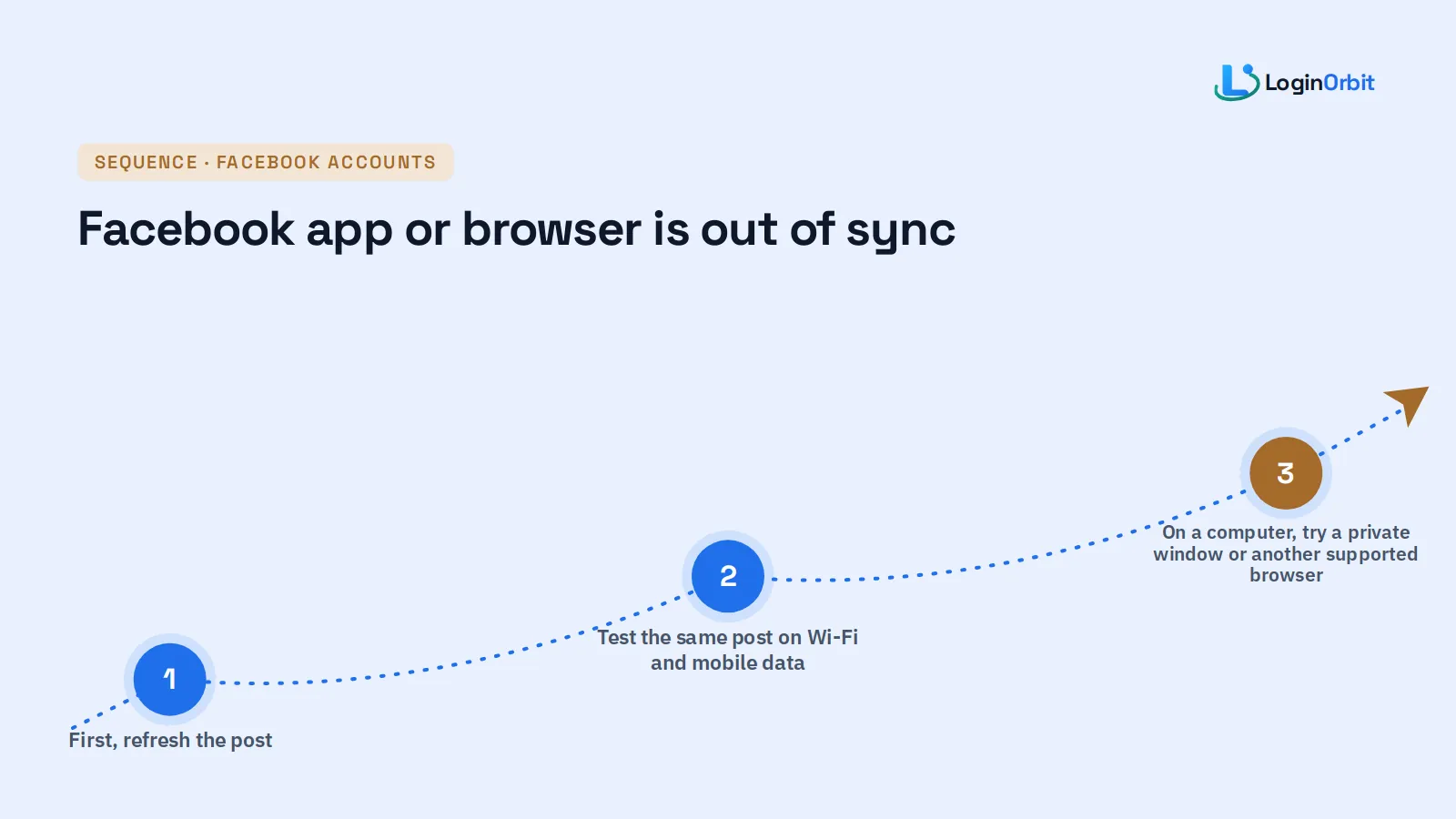
A broken app session, stale browser data, or an incomplete page load can hide comments while the post itself still appears. This is more likely when comments work on Facebook’s website but not in the app, or when only one browser has the problem.
First, refresh the post. Then close and reopen Facebook, sign out, and sign back in. On a computer, try a private window or another supported browser. On a phone, update Facebook through the official app store and restart the device.
Clear only the Facebook app cache if your phone provides that option. Don’t erase app data unless you know your login details and understand that it can remove saved settings. Browser users can clear site data for Facebook, but this may sign you out and remove local preferences.
Test the same post on Wi-Fi and mobile data. If comments appear on one connection, the network, DNS filter, VPN, or workplace firewall may be interfering. If Facebook pages fail on both connections, check whether other users are reporting a wider service problem.
If the problem happens only in one app, repair that app. If it happens across devices and accounts, stop changing local settings and report the problem. Meta’s report a Facebook problem guidance explains how to send details about a broken feature.
Less common Facebook comment problems
- A comment was deleted: The clue is that another person remembers seeing it, but nobody can find it now. Check whether the author removed it, a moderator deleted it, or Facebook removed it; these cases look identical to readers.
- A blocked word rule caught it: The clue is that comments with certain words, links, or repeated text disappear first. Page admins can review moderation settings, while ordinary users should try a normal comment without a link or copied phrase.
- Your account has a feature restriction: The clue is a notice in Account Status or a warning when you try to comment. Follow the stated review process rather than repeatedly posting, which can extend the restriction.
- Facebook is having a wider fault: The clue is that comments fail across unrelated posts, devices, and accounts. Check whether existing comments load before changing settings or reinstalling the app.
If the problem involves an account restriction, repeated automated removals, suspected hacking, or a missing admin control, stop experimenting and use Facebook’s account or Page support tools. Don’t install unofficial “comment recovery” software or give your password to someone claiming they can restore replies. A genuine support process won’t need your password in a private message.
What fixing Facebook comments requires
The easy fixes take a few minutes: change the comment sort, open hidden replies, refresh the post, or test another browser. On posts with ranking enabled, switch from “Most relevant” to “All comments” before assuming replies are missing. They need no payment and usually don’t affect your account.
App repairs take a little more effort. Updating Facebook, restarting the phone, clearing a cache, or signing in again can restore a broken session. Try the same post in a browser first: if comments appear there, the app is the likely source. The trade-off is that clearing data may remove saved preferences, so keep your login method available first.
Privacy and moderation problems need the right person, not better equipment. A post owner, Page manager, or group admin may need to change the audience, approve a reply, or review a blocked-word rule. If only one post or group is affected, contact that owner or admin rather than repeatedly reinstalling the app. Their response time is outside your control.
Account restrictions and repeated Facebook errors may need Meta’s support process. Keep the post link, your device type, app version, and a screenshot of the missing comments. Note whether the problem affects one post, one group, or your entire account. A real resolution depends on the cause, so check the app’s version screen and Facebook’s support response rather than trusting a fixed repair time.
You’re not a good candidate for unofficial browser extensions or paid “Facebook recovery” services. They can expose your account and still can’t override another person’s privacy or moderation settings. Never give a third party your password or login code to restore comments.
Need it done properly the first time? See our Facebook Account Setup & Security Service service.
Frequently asked questions
Why are Facebook comments not showing on my post?
The usual reasons are a comment filter, a hidden reply, a moderation rule, or a temporary app problem. Open the post’s comment sorting menu and choose the option that shows all available comments. Then check the post audience and your Page or group moderation settings. If comments are missing on every device, the issue is probably with the post, account, or Facebook service rather than your phone.
Can Facebook hide comments without deleting them?
Yes, Facebook can place comments behind filters or moderation controls without making them visible in the main thread. Look for “Most relevant,” “View more comments,” or a notice that comments are under review. Page and group admins can also hide comments using moderation tools. If the comment appears for another person but not for you, compare account access and comment sorting before assuming it was deleted.
How long does it take for Facebook comments to appear?
Comments that pass normally often appear within seconds, but a comment held for review has no reliable public waiting time. Check the post again after refreshing, then look for a moderation notice or account warning. If the same comment remains missing across devices, reposting it repeatedly won’t guarantee faster approval. Contact the Page owner or group admin when the post is moderated.
Is it safe to clear Facebook cache to fix missing comments?
Yes, clearing the Facebook app cache is generally a low-risk troubleshooting step, but it won’t fix privacy or moderation limits. Cache options vary by phone, so use the device’s app settings and clear only the cache first. Don’t erase app data unless you know your password or login method. If comments work in a browser, repair the app rather than changing the post.
What happens if I can see a post but not its comments?
You may have permission to view the post but not the full discussion. The post could have a restricted audience, limited comments, hidden replies, or a moderation rule. Ask someone in the same audience to check it. If they also can’t see comments, the owner may have turned them off. If they can, check your account, comment filter, and app session.
Does it matter whether I use the app or a browser?
Yes, because each platform can have its own loading or session problem. Open the same post in the Facebook app and on the website. If only one fails, update or reset that platform. If both fail on several devices, local troubleshooting is unlikely to help. Check the post controls, account status, and Facebook’s support options instead.
What to do next
If the issue continues, check Facebook’s Help Center and report the post or account problem through the app. Keep your app and browser updated, and watch for service notices. If comments return later, the cause was likely temporary. You shouldn’t need to change your account settings unless Facebook gives you a clear reason.



