
Facebook birthday notifications not showing is usually caused by notification settings, a hidden birthday audience, or an app sync problem. Check the friend’s profile first: if their birthday isn’t visible there, Facebook may not send you a birthday alert. If it’s visible, review your notifications in Facebook and on your phone, then update or restart the app.
Why Facebook birthday notifications aren’t showing
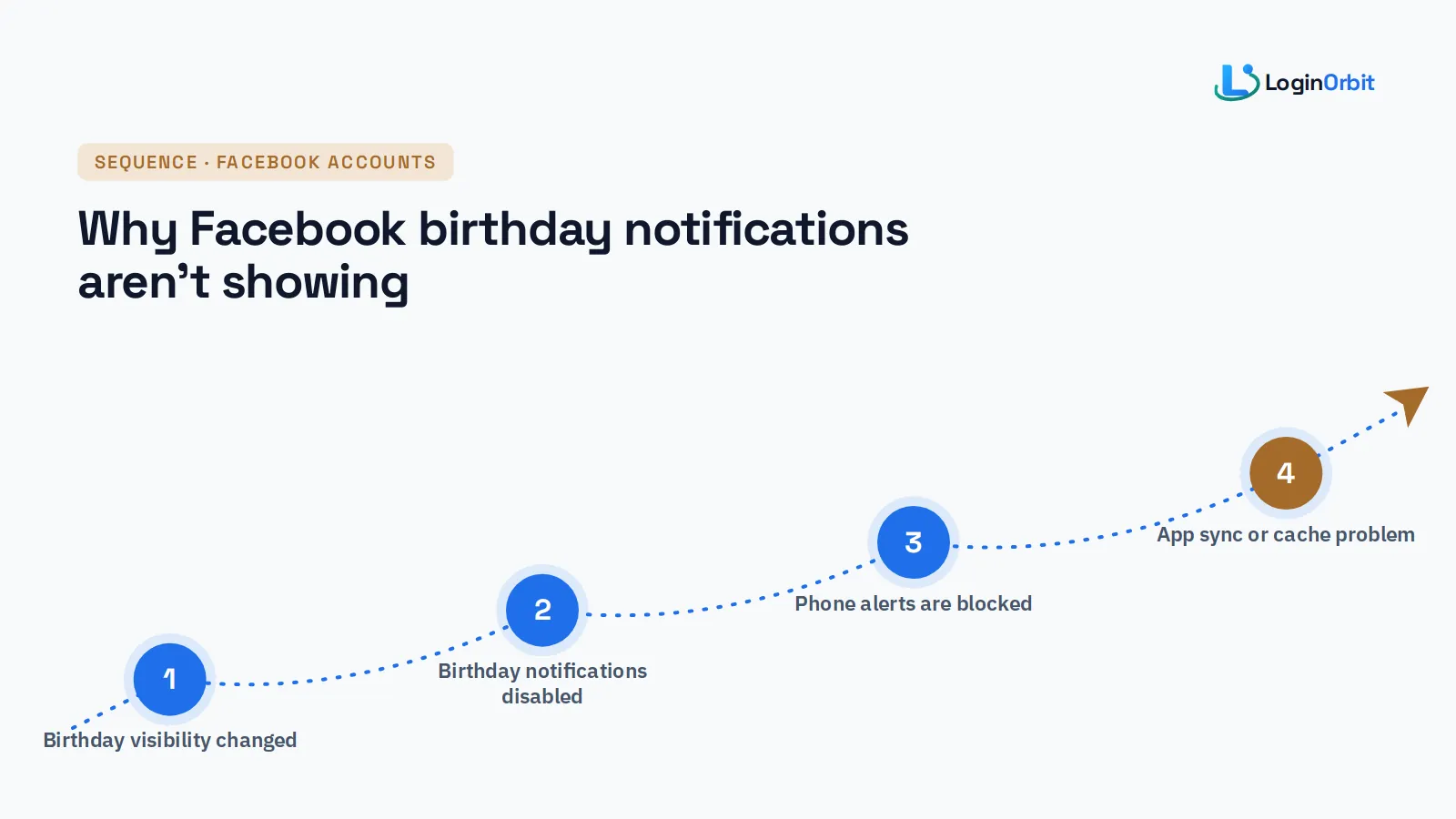
The cause is usually a setting or visibility problem, not a broken phone. Check the profile before changing anything, because Facebook can’t show a birthday notification when the friend’s birthday audience doesn’t include you. If no birthday appears on the profile, the date may be hidden or removed. If it appears but no alert arrives, check notification settings next.
| Cause | How common | How to confirm it | Fix it yourself? |
|---|---|---|---|
| Birthday visibility changed | Very common | Check friend’s profile | Yes |
| Birthday notifications disabled | Very common | Review notification settings | Yes |
| Phone alerts are blocked | Common | Check phone settings | Yes |
| App sync or cache problem | Common | Try Facebook in browser | Yes with care |
| Friend removed birthday date | Less common | Ask the friend directly | Yes |
| Facebook account restriction | Uncommon | Check account status | Yes with care |
| Facebook service fault | Rare | Check other features | No |
Start with Facebook’s notification settings and make sure birthday alerts are enabled. Then check your phone’s notification permissions for the Facebook app. A setting inside Facebook and a blocked phone permission are separate, so changing only one may not restore alerts.
Open Facebook in a browser while signed into the same account. If birthdays appear there, the app likely has a sync or cache problem; update it or sign out and back in before reinstalling. If birthdays are missing everywhere, ask the friend whether they still share a birthday. When several Facebook features fail at once, check account status and wait for a service issue to clear.
Birthday visibility is turned off
A hidden birthday is the most likely cause when one friend’s alert disappears. Facebook lets people control who can see personal details, including birthday information. If the friend limits the birthday audience, you may not see the date or receive a reminder.
Open the friend’s Facebook profile and look under the About section. On some app versions, the information appears under Contact and basic info. If you can see the month and day, continue with notification checks; if you can’t, the issue may be their privacy choice.
Don’t ask the friend to change it unless you’re comfortable doing so. They may have hidden the date for privacy, or they may have removed the birthday from their profile completely. Facebook’s birthday privacy settings explain that people control who can see birthday information.
If the friend wants to make the date visible, they’ll need to open their profile settings, find the birthday field, and choose an audience that includes you. The exact menu names can change between the Facebook app, mobile browser, and desktop site, so read the labels on the screen rather than following an old screenshot.
The fastest confirmation is simple: ask the friend whether their birthday is still listed and who can see it. If another person can see the birthday but you can’t, your friendship, blocking, restricted access, or a Facebook account issue may be involved.
This fix normally takes only a few minutes, but it depends on the friend. You can’t change another person’s birthday audience from your account. If they prefer not to show it, use a personal reminder instead.
A common mistake is checking your own notification settings first. That wastes time because your settings can’t restore a birthday that the other person has hidden.
Facebook notification settings are disabled
Notifications can be turned off even when the birthday is visible. This cause differs from a hidden birthday because you can still see the friend’s date on their profile, but Facebook doesn’t alert you when the date arrives.
Open Facebook and tap the menu button. Choose Settings & privacy, then Settings, and look for Notifications. Open the section for birthdays, if it appears, and make sure birthday alerts are enabled. Facebook may place birthday controls under notification categories rather than showing one large birthday switch.
Next, check whether notifications are paused. Do Not Disturb, quiet mode, or a Facebook notification pause can prevent alerts from appearing. If you use more than one Facebook account, confirm that you’re changing settings for the account that has the friendship.
The app and desktop site can show different controls. If you don’t see a birthday option in the app, sign in at Facebook’s website and review notification settings there. Don’t assume a missing switch proves the feature was removed; Facebook changes menus during app updates.
After changing the setting, test another notification category, such as comments on a post. If other alerts work but birthdays don’t, the problem is probably tied to birthday visibility or Facebook’s own reminder system. If every alert fails, check your phone permissions next.
You don’t need to reinstall Facebook immediately. First close the app, reopen it, and check whether the setting stayed enabled. If it turns itself off, update Facebook through the official app store and test again.
Phone notification permissions block alerts
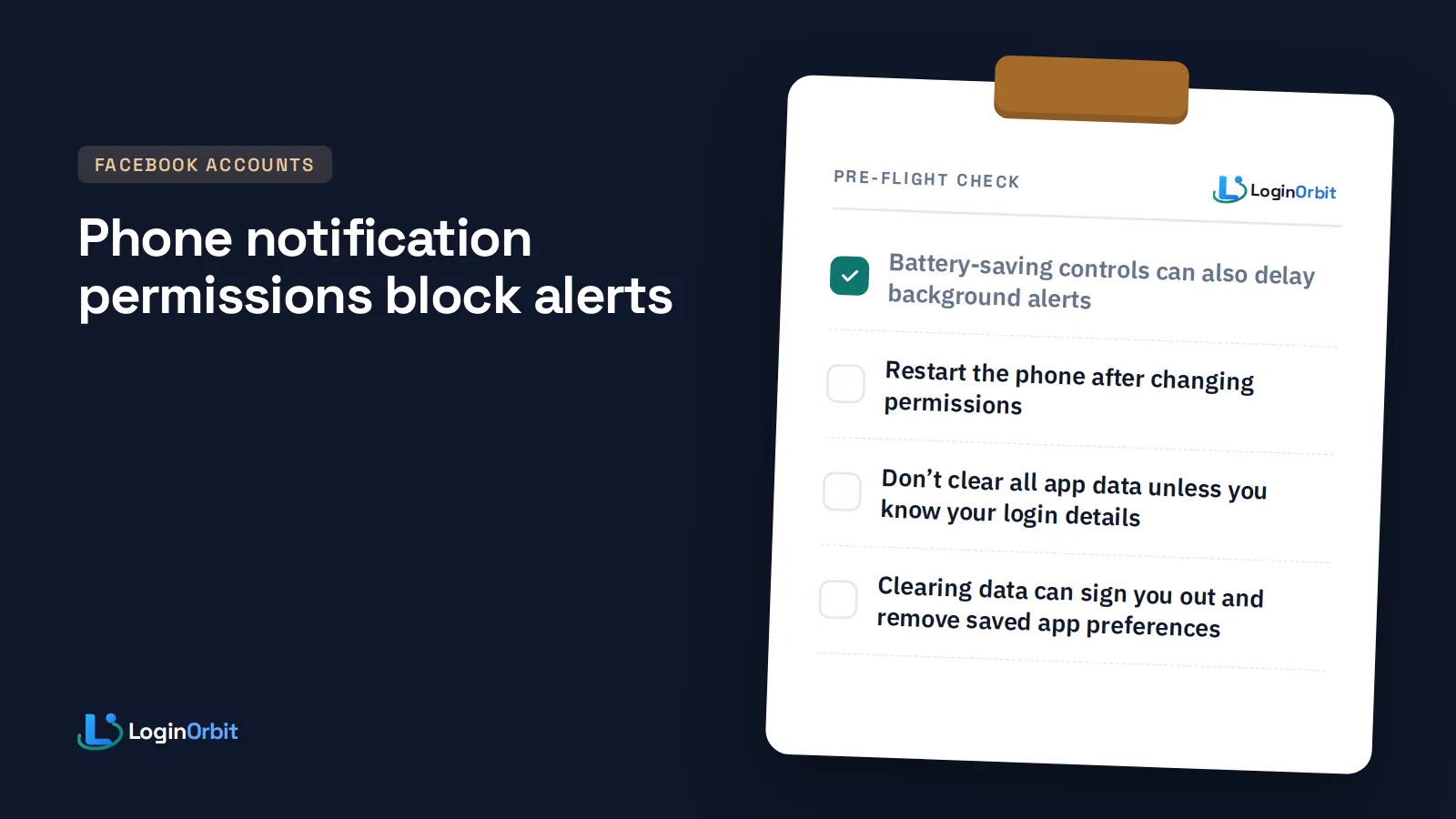
Your phone can block Facebook alerts even when Facebook’s own settings are correct. This cause is different from an in-app setting because Facebook may show notifications inside the app while sending nothing to your lock screen or notification panel.
On an iPhone, open Settings, choose Notifications, select Facebook, and allow notifications. Check the alert locations too, such as Lock Screen, Notification Center, and Banners. On Android, open Settings, choose Apps, select Facebook, and review its notification permissions.
Battery-saving controls can also delay background alerts. If Facebook notifications appear only after you open the app, review battery restrictions for Facebook. Menu names differ by Android manufacturer, so use your phone’s Settings search for “Facebook notifications” or “battery.”
Check Focus or Do Not Disturb as well. These modes can hide alerts without changing Facebook’s settings. If you receive other Facebook alerts but not birthday reminders, phone permissions are less likely to be the only cause.
Restart the phone after changing permissions. Then open Facebook once and leave the notification settings enabled. If the problem affects only one friend, return to the friend’s profile because a phone setting usually affects more than one birthday.
Don’t clear all app data unless you know your login details. Clearing data can sign you out and remove saved app preferences. If you can’t restore notifications after checking permissions, contact Facebook support through the app rather than changing account files or using unofficial tools.
App sync problems delay birthday alerts
An outdated or poorly synced Facebook app can fail to refresh birthday information. This is more likely when birthdays work in a browser but not in the app, or when the app shows old posts and alerts. A temporary connection problem can cause the same symptom, especially if other recent Facebook changes are missing.
Sign in to Facebook in a mobile browser or on a computer. Search the friend’s profile and check whether the birthday appears there. If the browser shows the date but the app doesn’t, update the app from the official store, close it fully, and reopen it. Test the app on both Wi-Fi and mobile data if the birthday still doesn’t appear.
On Android, Facebook’s cache can be cleared through the phone’s app settings. Cache-clearing steps vary by manufacturer, but they normally don’t remove your Facebook account. After clearing the cache, reopen Facebook and allow time for it to reload.
On iPhone, deleting and reinstalling Facebook is the usual way to refresh local app files. This takes longer than an update and may remove downloaded app data, but it won’t delete your Facebook account. Make sure you know your password or have another approved login method first. Reinstall only after checking that the birthday appears in the browser.
If the browser and app both miss the same birthday, an app refresh probably won’t solve it. Check the friend’s visibility, your notification settings, and whether the friend still has a birthday listed. Also check Facebook’s notification settings for birthday reminders, plus the phone’s permission to show Facebook notifications. If all of those look correct, Facebook may be failing to deliver that reminder. Ask the friend to confirm the date or notify you directly rather than relying on the alert.
Less common Facebook birthday problems
-
The friend removed the date: Open the person’s profile and look under About or basic information. If the birthday no longer appears there, they may have changed its visibility or removed the date. You can’t restore a reminder for information they no longer share.
-
You’re no longer connected: Check whether the profile shows “Add Friend” instead of friendship details. Birthday reminders may depend on the connection, so verify this before changing notification settings. If you can still view the profile but can’t send a request, the account may have additional privacy limits.
-
The account has limited features: Open Account Status and look for warnings about restrictions. A restriction can affect notifications or other account features without changing your friends’ profiles. Follow any review or appeal steps shown there rather than repeatedly toggling birthday settings.
-
Facebook has a temporary fault: If birthday reminders and several unrelated notifications fail in both the app and the website, the problem may not be your account. Check Facebook’s own service updates, try again later, and avoid changing many settings while an outage is possible. If only one device fails, update or restart that app before treating it as an account problem.
-
The birthday date is incomplete: A profile may show a birth year without a visible month and day. Facebook has no usable reminder date in that case, even if the year appears in the profile.
Stop troubleshooting if Facebook asks for identity checks, your account is locked, or you suspect unauthorized access. Use Facebook’s official account recovery and support options, and never give your password to someone claiming they can restore notifications.
What fixing birthday alerts usually involves
The easiest fix is changing a Facebook notification setting or allowing phone alerts. It usually needs only a few minutes and no extra tool. The exact menu depends on whether you’re using iPhone, Android, a mobile browser, or a computer.
A visibility problem needs the friend to change their own birthday audience. You can confirm it, but you can’t repair it from your account. The trade-off is privacy: making a birthday visible may restore reminders, but it also shares that personal detail with a wider audience.
An app problem may need an update, cache refresh, or reinstall. An update is the lighter option; reinstalling takes more effort and may require your password. Check the app store for the current version instead of relying on a version number from an old guide.
If Facebook support is needed, keep screenshots of the profile view, notification settings, and phone permissions. A real support answer depends on your account, device, and app version, so those details help. For account restrictions or security problems, use Facebook’s support flow rather than paying an unofficial “recovery” service.
There’s no single time that guarantees a birthday alert will return. Facebook’s menus and delivery behavior can change by account, device, and app version, so your own value is the setting currently shown in Facebook and your phone’s notification controls.
Our team handles exactly this through Facebook Account Setup & Security Service.
Frequently asked questions
Can Facebook birthday notifications come back?
Yes, they can return after the birthday audience, Facebook setting, or phone permission is corrected. First check whether the friend’s birthday is visible on their profile. If it is, review birthday notifications in Facebook and allow Facebook alerts on your phone. If the date remains hidden, you can’t restore the reminder from your own account because the friend controls that information.
Why did Facebook stop showing birthday reminders?
Facebook may have stopped because the friend hid or removed the date, your birthday alerts were disabled, or phone permissions changed. Compare one affected profile with another friend whose birthday is visible. If every Facebook notification is missing, check phone permissions and battery controls. If only one person is affected, profile visibility is the stronger clue.
How long do Facebook birthday notifications take to appear?
Birthday reminders should appear on the birthday, but Facebook doesn’t provide a guaranteed delivery time for every account or device. The timing can change with notification permissions, app sync, and the friend’s privacy settings. If the date is visible, check Facebook in a browser and review phone alerts before reinstalling the app.
Is it safe to clear Facebook’s cache?
Yes, clearing the app cache is generally a low-risk troubleshooting step on Android because it removes temporary local files, not your Facebook account. You may need to reopen the app afterward. Don’t clear app data unless you know your login details, because that can sign you out and remove local preferences.
What happens if my friend hides their birthday?
You won’t be able to reliably view the date or receive a birthday reminder from Facebook. This is controlled by your friend’s profile audience, not by your phone. You can still send a message if you remember the date yourself, but changing your own notification settings won’t reveal information that the friend has chosen to hide.
Does it matter if I use Facebook in a browser?
Yes, it can help separate an app problem from an account problem. If the birthday appears in a browser but not in the app, update or refresh the app. If it’s missing in both places, check the friend’s birthday audience and profile details. Browser results don’t override the friend’s privacy choice.
What to do next
Keep Facebook and your phone updated so notification problems are less likely to return. You can also check important birthdays in your calendar as a backup. If alerts still don’t appear after an update, report the issue through Facebook’s Help Center so its support team can investigate your account.



