
Set up Facebook Business Manager before you spend money on ads, then organize your startup’s Page, Instagram account, ad account, pixel, catalog, payment method, and user permissions inside one controlled business system. Doing this on day one helps prevent ownership disputes, lost access, messy contractor handoffs, and campaigns tied to an employee’s personal profile.
Key Takeaways
- Create the business portfolio with a company-controlled email, not an employee’s temporary address.
- Verify your domain, add two-factor authentication, and assign the minimum access each person needs.
- Create a dedicated ad account, Meta Pixel or Conversions API connection, and payment method before launching campaigns.
- Keep ownership of the Facebook Page, Instagram account, domain, customer lists, and creative files inside the business.
- Use a simple naming convention and document every asset, permission, and billing decision.
- Review access monthly and remove former employees, agencies, contractors, and unused integrations promptly.
What Business Manager Includes
Meta has increasingly used the terms Business Manager, Business Suite, and business portfolio for related parts of its business administration system.
- A Facebook Page for your company
- An Instagram professional account
- One or more advertising accounts
- A Meta Pixel and Conversions API connection
- A verified business domain
- A product catalog
- A lead form library
- A WhatsApp Business account
- Payment methods and invoices
- Employees, contractors, agencies, and partners
A personal Facebook profile is required to log in and administer the account.
Business Manager versus Business Suite
Business Manager, now called a business portfolio, is the administrative structure inside Meta Business Suite. Both names refer to the same tool. Business Suite is also where you do day-to-day work such as publishing, inbox management, insights, scheduling, and some advertising tasks.
| Area | Business Manager or portfolio | Business Suite |
|---|---|---|
| Ownership | Holds business assets | Uses assets owned by the business |
| Permissions | Assigns roles and access | Applies those permissions in daily work |
| Advertising | Creates and controls ad accounts | Creates, monitors, and reports on campaigns |
| Publishing | Provides Page and Instagram access | Schedules posts and manages content |
| Administration | Handles verification, security, and partners | Handles routine marketing activity |
For a small startup, one business portfolio and one ad account are usually enough.
Prepare to Set Up Facebook Business Manager for a Startup from Day One
A few minutes of preparation makes the setup cleaner. Decide who legally owns the startup’s Meta presence, which email will receive security alerts, and who should be an administrator.
Use a company-controlled email on the company domain. Avoid using a founder’s old school email, an agency-owned address, or a shared inbox that nobody monitors.
Prepare these items:
- Legal business name and registered address
- Company website and domain
- Facebook Page name and URL
- Instagram handle
- Company credit card or approved payment method
- Names of the founder, marketer, developer, accountant, and agency
- Business registration details, if verification becomes necessary
- Customer support email and phone number
- A password manager such as 1Password, Bitwarden, or Dashlane
- A written list of approved administrators
Don’t create multiple business portfolios “just in case.” Duplicates make ownership and reporting harder.
Warning: Never buy or rent an old Facebook Page, personal profile, or ad account to shortcut setup. Artificial ownership transfers can create policy, access, billing, and verification problems that are much harder to fix than starting correctly.
Choose ownership first
The startup should own its Page, Instagram account, pixel, catalog, domain, and ad account. An agency may receive partner access, but it shouldn’t become the permanent owner of the core assets.
- The startup owns long-term assets.
- Employees receive individual access.
- Agencies receive partner access.
- Contractors receive task-specific access.
- No person is indispensable to account recovery.
This arrangement matters if a marketing employee leaves, an agency relationship ends, or a founder changes roles.
Create the Business Portfolio
Log in with your personal Facebook profile and open Meta’s business administration area. The exact button names may vary by country and account type, but the normal sequence is to create a business portfolio, enter the business name, provide an administrator’s name, and add a company email.
Complete the setup in this order:
- Sign in with the administrator’s authentic personal profile.
- Choose the option to create a business portfolio or business account.
- Enter the public-facing company name.
- Provide the company email address.
- Confirm the verification email.
- Record the portfolio’s business ID.
- Add the company’s existing Page, or create one if needed.
- Connect the Instagram professional account.
- Create or claim the advertising account.
- Invite the second approved administrator.
A business ID differs from an ad account, Page, pixel, and Instagram account ID. Record each identifier separately in your password manager or restricted company documentation.
Use a naming convention
Consistent names reduce mistakes.
| Asset | Recommended format | Example |
|---|---|---|
| Business portfolio | Legal or public company name | Northstar Coffee |
| Ad account | Company – Market – Currency | Northstar – US – USD |
| Pixel | Company – Website – Main | Northstar – Main Site |
| Catalog | Company – Product type | Northstar – Coffee Catalog |
| Campaign | Goal – Audience – Offer – Month | Sales – Retargeting – Starter Kit – 2025-03 |
| Custom audience | Source – Segment – Date | CRM – Customers – 2025-03 |
Don’t put sensitive customer information into campaign names, audience names, URLs, or notes.
Secure People and Permissions
Security is the most important day-one task because access mistakes can expose data or create unauthorized charges. Add two trusted administrators, enable two-factor authentication, and assign everyone else the narrowest role that lets them work.
Match access to the job
Don’t give every employee full control. A content editor usually doesn’t need billing access, and a designer usually doesn’t need customer-list access.
| Person or vendor | Appropriate starting access | Avoid granting |
|---|---|---|
| Founder or operations lead | Full control, security responsibility | Shared login credentials |
| Marketing manager | Manage campaigns, Page, Instagram | Unneeded finance control |
| Content specialist | Publish and moderate content | Ad account administration |
| Designer | Create or upload approved creative | Customer data access |
| Developer | Pixel, events, and domain tasks | Billing and Page ownership |
| Accountant | Payment and invoice visibility | Publishing permissions |
| Media agency | Partner access to assigned assets | Ownership of company assets |
| Short-term contractor | Limited task access | Permanent administrator status |
Invite people using their own profiles and work email addresses.
Separate employee and partner access
Add employees directly to the business portfolio when they work for the startup.
- The partner’s verified business ID
- A list of requested assets
- The exact permissions needed
- The contract start and end dates
- The person responsible for offboarding
- Confirmation that the partner won’t reuse customer data
Pro Tip: Put an expiration date in your internal access register even when Meta doesn’t offer an automatic expiration for the permission you’re granting.
Add Pages and Instagram
Add the existing Facebook Page to the business portfolio rather than creating a second Page with a similar name. An owner of another portfolio may need to approve a request or transfer ownership.
For Instagram, confirm that the account is professional if you need publishing, insights, messages, or advertising.
Check these details:
- Page name matches the company’s public identity
- Page category accurately describes the startup
- Profile photo and cover image use approved branding
- About section includes the website and support method
- Instagram bio links to the correct website
- Contact buttons reach a monitored inbox
- Business hours and location information are accurate
- Former employees don’t retain full control
If Facebook or Instagram presents duplicate connection options, stop and identify the correct Page ID and Instagram username before approving anything.
Confirm access with a test
Ask a non-admin team member to perform a limited task. Don’t test by publishing an unapproved post or launching an advertisement.
A successful access test should confirm:
- The person can see the intended asset
- The person can’t see restricted assets
- The correct Page and Instagram account appear
- The person can complete the assigned workflow
- The administrator can remove access afterward
Create the Ad Account
Create one dedicated ad account unless you need to separate brands, legal entities, or currencies. Select the correct time zone and currency carefully.
- Create it inside the startup’s portfolio.
- Use the startup’s billing details.
- Keep the startup as the account owner.
- Give the agency access through partner sharing or assigned roles, never a shared personal login.
- Record the ad account ID.
- Set an initial spending limit if available.
- Add at least one backup billing administrator.
Add a payment method after confirming authorization. Payment options and thresholds vary by location and account history.
Prevent surprise charges
Create written rules before anyone launches a campaign:
- Who may create a campaign
- Who must approve the budget
- Maximum daily and lifetime spend
- Whether automatic placements are allowed
- What counts as an emergency pause
- Who receives billing notifications
- How invoices are stored
- Which card is the backup method
Don’t rely on a campaign’s name as a budget-control system.
Verify the Domain
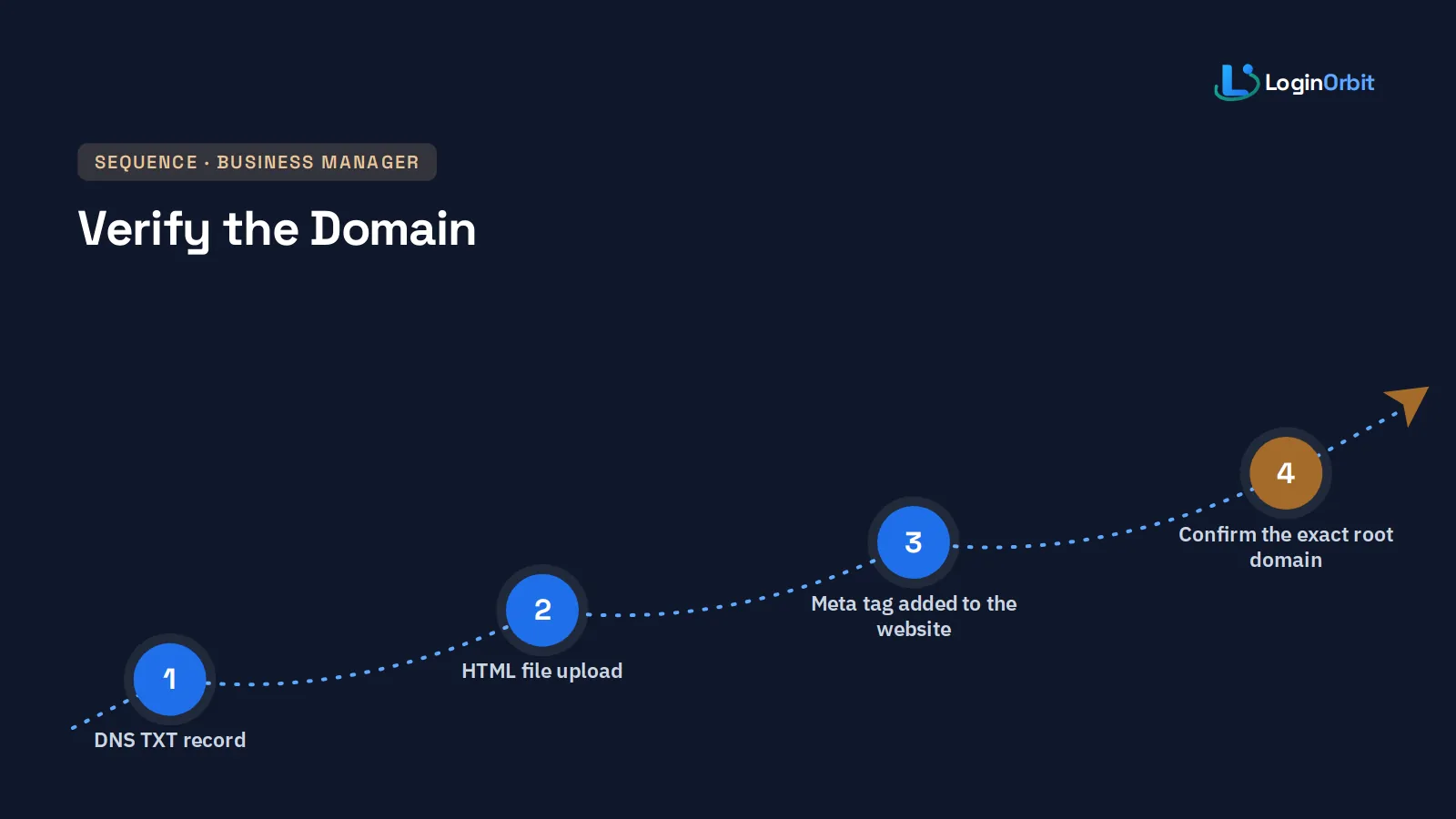
Domain verification proves that the business has control of its website domain.
Open the brand-safety or business settings area, add the root domain, and choose one of the available verification methods:
- DNS TXT record
- HTML file upload
- Meta tag added to the website
DNS verification is often the most durable because it isn’t tied to a particular page template. Verification can take time to propagate.
After verification:
- Confirm the exact root domain.
- Add any required subdomains or website configurations.
- Review aggregated event settings.
- Confirm that landing pages use the verified domain.
- Remove domains the startup no longer controls.
Domain verification doesn’t automatically make tracking lawful.
Install tracking carefully
For a website, set up the Meta Pixel through a supported integration, tag manager, or direct code installation. If supported, consider using Conversions API alongside browser-based events.
Start with a small set of meaningful events:
- PageView
- ViewContent
- Lead
- CompleteRegistration
- AddToCart
- InitiateCheckout
- Purchase
Use the event that represents the real business outcome. Don’t label every button click as a purchase. Test event firing on the correct domain, check event parameters, and avoid sending unnecessary personal information.
Warning: Don’t send raw email addresses, phone numbers, health details, financial information, or other sensitive data in URLs, event parameters, or browser scripts. Hashing doesn’t turn prohibited or improperly collected data into permitted data.
Organize Data and Creative
A clean structure helps the startup understand what is working. Store creative, licenses, consent records, landing-page versions, and approvals in a company-controlled drive.
Useful folders include:
- Brand guidelines
- Logos and fonts
- Approved images and video
- Ad copy
- Landing pages
- Tracking specifications
- Audience documentation
- Campaign reports
- Invoices
- Permissions and access reviews
Track each asset’s owner, purpose, date, destination, and status.
Build audiences responsibly
Possible first-party audiences include:
- Website visitors
- Product viewers
- Lead-form submitters
- Newsletter subscribers
- Customers
- Instagram engagers
- Facebook Page engagers
Use lawfully collected, disclosed data. Maintain a suppression audience for recent purchasers. Keep lists updated and remove people who opted out or requested deletion.
Don’t target sensitive characteristics or infer conditions. Confirm a list’s collection and advertising use before uploading it.
Complete a Day-One Checklist
Use this checklist before launching any paid campaign.
| Checkpoint | Done when | Owner |
|---|---|---|
| Business portfolio | Company name, email, and ID recorded | Founder |
| Administrators | Two trusted admins use 2FA | Operations |
| Facebook Page | Correct Page owned or connected | Marketing |
| Correct professional account connected | Marketing | |
| Ad account | Correct currency, time zone, and owner | Operations |
| Billing | Approved payment method and limits added | Finance |
| Domain | Root domain verified | Developer |
| Tracking | Key events tested on real pages | Developer |
| Permissions | Access matches job responsibilities | Operations |
| Creative | Approved files and rights documented | Marketing |
| Privacy | Notices, consent, and opt-out process reviewed | Legal or owner |
| Reporting | Campaign and conversion definitions agreed | Marketing |
Run a test lead or purchase only if the website and payment flow are ready. Confirm the event appears once, with the correct value and currency, and reaches the CRM or inbox.
Keep a recovery record
Store these details:
- Business portfolio ID
- Ad account ID
- Page ID
- Pixel or dataset ID
- Domain registrar and DNS administrator
- Approved administrators
- Payment owner
- Agency partner IDs
- Recovery email addresses
- Date of every access review
Never store passwords in a plain-text spreadsheet. Record recovery codes in a password manager or another protected system with a documented backup process.
Troubleshoot Common Problems
Account setup problems usually involve ownership, verification, identity, payment, or permission issues.
The Page can’t be added
The Page may already belong to another business portfolio, or the requester may not have full control. Ask the owner to inspect Page access and ownership. Create a duplicate Page only if the company decides to start over.
The Instagram account is missing
Confirm that the Instagram login is correct, the account is professional, and the person connecting it has the required Page and business permissions. Log out of unrelated Instagram accounts to avoid connecting the wrong profile.
Domain verification fails
Check spelling, DNS propagation, redirects, and whether the TXT record is at the root domain. For an HTML file or meta tag, confirm the website platform published the change publicly.
The payment method is rejected
Check the billing address, card limit, fraud controls, expiration, and currency. Don’t repeatedly retry the card. Contact the bank or use an approved backup method, then review the ad account’s payment alerts.
A person can’t see an asset
Confirm the person is in the correct portfolio, the asset is owned or shared there, and the person has permission for it. Business access alone may not grant access to every Page, ad account, or pixel.
Ads are rejected
Read the policy reason, then revise the claim, image, landing page, targeting, or offer. Don’t duplicate the rejected ad repeatedly. If incorrect, use the review process and preserve the original copy.
Pro Tip: Screenshot important settings before requesting support. Include the IDs, exact error, affected asset, and date. Never include passwords, full card numbers, or customer data.
Maintain It After Launch
Day-one setup only works if the system stays maintained. Schedule a monthly review and a quarterly ownership check.
Monthly, review:
- Active people and partner access
- Failed payments and outstanding balances
- New administrators
- Campaign spending against approvals
- Pixel and event diagnostics
- Domain and Page ownership
- Unused audiences and integrations
- Recently created campaigns
Quarterly, confirm:
- The company still controls the domain
- Two current administrators can recover the account
- Former employees and agencies are removed
- Payment details are current
- Privacy language matches actual tracking
- Customer lists are refreshed or deleted as appropriate
- Creative licenses remain valid
- Campaign naming remains consistent
When someone leaves, remove access immediately. Reassign assets first, confirm that campaigns still have an owner, and rotate any shared credentials or recovery methods that person could access.
Related guides
Our team handles exactly this through Facebook Business Manager Setup Service | LoginOrbit.
Frequently Asked Questions
Is Facebook Business Manager free for startups?
Creating the business portfolio and organizing assets generally doesn’t require a setup fee. Set the company’s own spending rules before adding a payment method.
Can I use my personal Facebook account?
Yes. A personal Facebook profile is normally used to authenticate an administrator, but it shouldn’t own the startup’s entire marketing operation alone.
Should my agency create Business Manager?
Usually, no. The startup should create and own its business portfolio, Page, Instagram account, ad account, domain, pixel, catalog, and customer-related assets. Give the agency partner access to only what it needs, with written responsibilities and an offboarding process.
How many administrators should a startup have?
Start with two trusted administrators who use separate profiles and two-factor authentication. Avoid giving full control to every marketer, contractor, or agency employee.
Do I need a Meta Pixel on day one?
You should usually plan tracking before launching traffic, but install only events that match the website and business model. Test PageView, lead, registration, checkout, or purchase events as relevant.
What happens if an employee created the ad account?
Don’t delete it immediately. Identify its owner, document the ID, and review whether it can be added to or managed by the startup’s business portfolio. If ownership can’t be corrected, contact Meta support and prepare company records, domain proof, and billing documentation.
What to do next
Create the portfolio, secure two administrators, connect the correct assets, verify the domain, and document every ID and permission before spending a dollar. That small setup effort supports cleaner reporting, safer access, and easier agency management as the team grows.



