
Want to catch up with friends, share your life, or join groups that match your interests? It all starts with creating a Facebook account.
Setting up your profile is easier than you might think. Stick with me, and in just a few minutes, you’ll be ready to dive in.
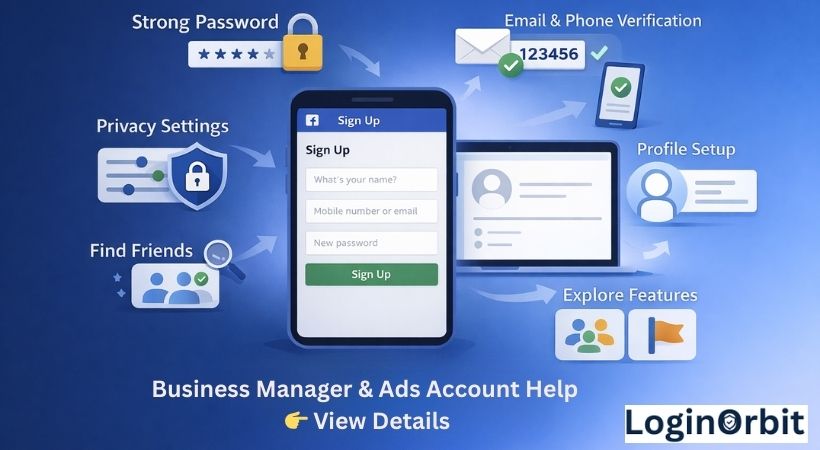
Getting Started: Sign Up for Facebook
Joining Facebook means joining millions of people online. It’s quick and straightforward.
Here’s what to do:
- Go to facebook.com.
- You’ll see the sign-up form right away.
- Fill in your first and last name. Use your real name so friends can find you.
- Add your email address or phone number. This is important for login and recovery.
- Pick a password. More on that in a bit.
- Enter your birthdate and gender.
Choose a Strong Password
This is your first line of defense. A weak password is like leaving your door wide open.
Here’s a quick checklist for a good password:
- Use a mix of uppercase and lowercase letters.
- Add numbers and symbols for extra strength.
- Make it at least 12 characters long.
- Avoid obvious info like your name or birthday.
- Don’t reuse passwords you use elsewhere.
Think of your password like a lock. The stronger it is, the harder it is for anyone to break in.
Verify Your Email or Phone Number
Facebook will ask you to confirm your contact info. This step helps keep your account safe.
You’ll get a code sent by email or text. Just enter that code on Facebook.
Why bother? It shows you really own that email or phone. Plus, it helps you reset your password if you ever forget it.
How To Verify Your Email
Check your inbox for a message from Facebook. Click the link or enter the code they sent.
How To Verify Your Phone Number
Look for a text with a code. Enter that code on the Facebook page.
Set Up Your Profile
Your profile is your online introduction. A complete profile helps people find and recognize you.
- Add a clear profile picture. A friendly face makes a difference.
- Fill in your basic info: location, work, education.
- Only share what you’re comfortable with — you can update anytime.
Adjust Your Privacy Settings
Facebook lets you control who sees your posts and info. This is key to staying safe and comfortable online.
- Control who can see your posts: Everyone, friends only, or a custom group.
- Manage friend requests: You can limit who can send you requests to avoid strangers.
Find and Add Friends
Connecting with friends is the heart of Facebook.
Try these tips:
- Import your contacts from your phone or email to find people you know.
- Search by name using Facebook’s search bar. Filter by city, school, or workplace to narrow results.
Explore What Facebook Offers
Facebook isn’t just for chatting. Here’s what else you can do:
- Join Groups to connect with people who share your hobbies or interests.
- Follow Pages for your favorite businesses, celebrities, or topics.
FAQs
Is it free to create a Facebook account?
Yes! Signing up on Facebook doesn’t cost a thing.
What info do I need to sign up?
Your full name, email or phone, a password, birthdate, and gender.
Can I sign up without a phone number?
Sure! Use your email instead during registration.
How old do I have to be?
You must be at least 13 years old to create an account.
How do I verify my new account?
Facebook sends a code to your email or phone. Enter it to confirm your account.
Can I have multiple accounts with one email?
No. Each email or phone number can only link to one Facebook account.
What if I forget my password?
Click “Forgot Password” on the login page and follow the instructions.
Wrapping Up
Creating a Facebook account is quick and easy. Just follow the simple steps, and you’ll be ready to connect with friends and family in no time.
Remember to keep your info safe with a strong password and verified contact details.
Have fun exploring Facebook’s features and making new connections!