
Every Business Manager needs a backup admin because a business with only one admin has a single point of failure. If that person loses their phone, gets hacked, is restricted, fails an identity check or leaves the company, nobody may be left who can pause ads, pay invoices, answer customers or add help. A second trusted admin, with their own secure profile, keeps the business running while the problem is solved.
This article is one part of a bigger topic. Our guide to Facebook Business Managers brings it all together.
What can go wrong with only one admin
These situations are more common than most business owners expect. With one admin, each of them can stop the whole business. With two, each becomes a short delay.
| What happens | With one admin | With a backup admin |
|---|---|---|
| Admin loses their phone and 2FA codes | Locked out until recovery succeeds | Backup keeps ads and Pages running |
| Admin’s profile is hacked | Attacker may control the whole business | Backup removes the hacked profile quickly |
| Admin is restricted or asked for an ID check | Nobody can manage assets during review | Backup works normally while the review runs |
| Admin leaves the company | Business may lose control of its assets | Backup removes their access and carries on |
| Admin is ill, travelling or unreachable | Urgent changes wait | Backup handles them |
| Admin makes a permission mistake | Nobody can undo it | Backup corrects it |
A hacked or restricted admin is the most serious case. See what happens when a BM admin profile gets restricted, and if a takeover is involved, how to recover a hacked Facebook account.
Who makes a good backup admin
A backup admin holds the same full control as you, so choose carefully. A good backup admin is:
- A real, trusted person using their own personal Facebook account, never a shared login, a second profile of yours, or a bought account.
- Long-term and close to the business, such as a co-owner, business partner, family member in the business, or senior employee.
- Secure, with two-factor authentication and current recovery details on their profile.
- Able to confirm their identity. Meta often asks admins to confirm their identity with a government ID, so their profile name should match their ID.
- Reachable, so they can act quickly when you can’t.
Usually not a good choice: an agency employee, a short-term freelancer, or someone you’ve just hired. Agencies should work through Partner access instead. Our guide on what your BM admin profile needs covers the full standard.
How Business Manager access works
Business Manager is now often shown as a business portfolio, but access is still built from three parts: people, assets and roles. Being an admin of the portfolio doesn’t automatically give someone every asset; Pages, ad accounts, pixels and catalogs can each have their own access list.
| Part | What it does | What you notice when it goes wrong |
|---|---|---|
| Business portfolio | Holds company assets and access settings | Assets seem missing, or the wrong portfolio opens |
| Admin role (full control) | Controls settings, permissions and people | Settings are locked for someone with partial access only |
| People list | Shows who has been added and their role | Someone was invited but can’t work yet |
| Business assets | Pages, ad accounts, pixels, catalogs and more | A tool is missing because the asset wasn’t assigned |
| Two-factor authentication | Protects sign-in, and may be required by the business | Login or invitation is blocked |
| Recovery details | Email and phone used to regain access | Codes go to an old number or inbox |
How to add a backup admin
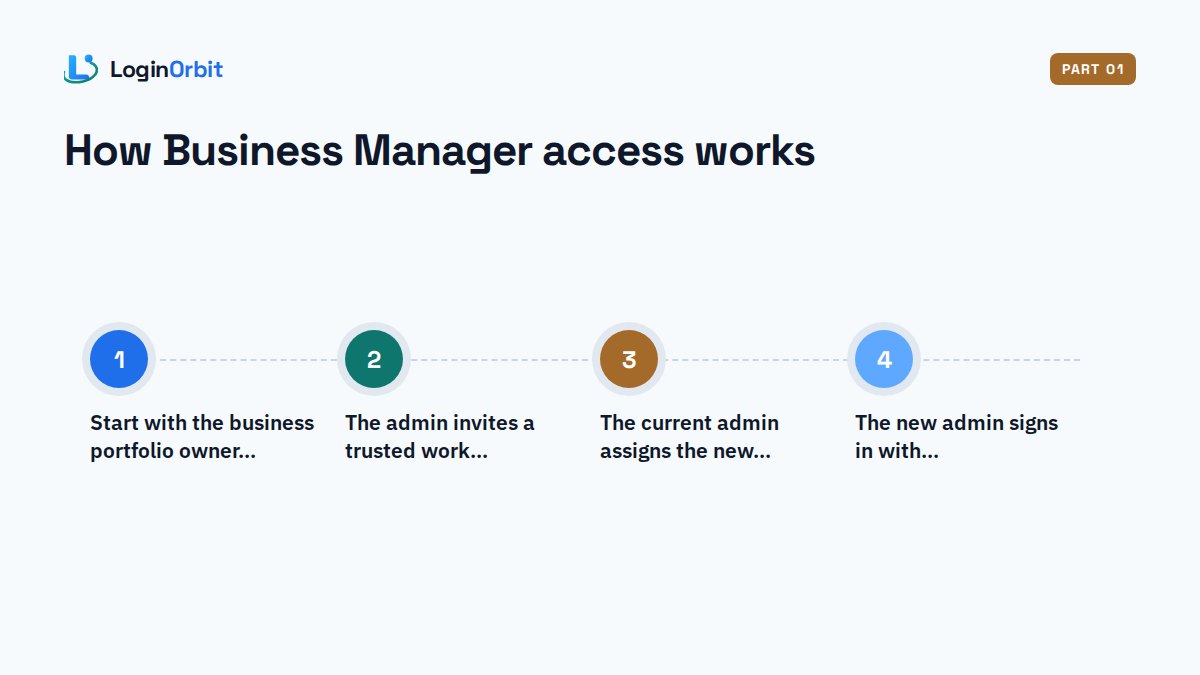
- Open Business Settings in the right portfolio. Check the business name before changing anything.
- Invite the person by email. Use an address they actually check, and type it carefully. They’ll accept the invitation with their own Facebook account.
- Give them full control. A backup admin needs business-wide control to be useful. For everyone else, use partial access; see how to add people and assign roles in BM.
- Make sure they turn on two-factor authentication. Here’s how to turn on two-factor authentication.
- Assign the key assets. Main Page, Instagram account, ad accounts, pixel or dataset, catalog and billing.
- Test together. Ask the backup admin to open each key asset without publishing or spending. Fix any missing access while you’re both available.
- Write down the recovery plan. Who to contact, which email and phone each admin uses, and where business records are kept. Never store passwords or codes in it.
Meta’s own instructions for adding people are in the Meta Business Help Center. Our free Access Role Planner helps you decide who needs full control and who doesn’t.
Why backup admin access fails when you need it
The most common failure is a backup person who exists in the company but not properly in the Business Manager. They may see a Page but not the ad account, catalog, pixel or billing. Partial access can feel like a complete lockout exactly when it matters.
| What you see | Likely cause | Safe check |
|---|---|---|
| No business appears | Invitation accepted with a different login | Compare the invited email and account |
| Page appears, ads don’t | Ad account not assigned | Check the ad account’s people list |
| Can’t change settings | Partial access instead of full control | Review the person’s role |
| Invite never arrives | Wrong or filtered email | Check spam, then resend |
| Login asks for an unavailable code | Two-factor method lost | Use the saved recovery codes |
| Asset owned elsewhere | Belongs to another portfolio | Check asset ownership |
Check these while your main admin still has access. Don’t delete the current admin or accept ownership requests just because a screen looks empty.
What a backup admin can and can’t do
A backup admin can
- Pause or change campaigns and protect ad spend.
- Remove a hacked, restricted or departed admin.
- Add new people and partners, and fix permissions.
- Manage billing and payment methods.
- Keep Pages and messages answered.
A backup admin can’t
- Bypass Meta’s identity or security checks on another person’s profile.
- Lift a restriction placed on the business itself.
- Take control of assets owned by another business portfolio.
- Complete a review or appeal on someone else’s behalf.
If the whole business is restricted, the backup admin can help gather information and follow the review, but the fix still goes through Meta. See how to request a review for a restricted BM.
What a backup admin does in the first hour of an emergency
Agree on this plan in advance, so your backup admin knows exactly what to do if the main admin is hacked or locked out:
- Confirm the problem with the main admin by phone or in person, not through Facebook Messenger, which an attacker may control.
- Pause active campaigns if there’s any sign of unauthorized ads or spending.
- Check the People and Partners lists and remove anyone who was added without approval.
- Remove the compromised admin profile from the Business Manager if it’s been taken over. It can be added back once it’s secure again.
- Check Billing for new payment methods or unexpected charges, and contact the bank if needed.
- Check Account Quality for any restriction that started during the incident.
- Write down what changed and when, so the main admin and Meta support have a clear record.
When the main admin’s account is secure again, the two of you review the changes together and restore normal access. Without a backup admin, none of these steps can happen until the main account is recovered, which can take days.
Habits that keep backup access working
- Give full control to as few people as possible. Two or three trusted admins is usually right; everyone else gets partial access.
- Use separate accounts for separate people. Shared logins hide who changed what and make two-factor authentication harder.
- Review the People list after every staff change. Remove former employees and agencies, and replace a backup admin who has left.
- Test the backup path every few months. Ask your backup admin to confirm they can still log in and open the key assets.
- Keep an ownership record outside Meta. Legal business name, portfolio ID, asset owners, current admins and support case numbers, but no passwords.
What if your only admin has already left?
First, check whether anyone else already has full control under a different email. If nobody does, use Meta’s official support route and prepare proof that you own the business. Don’t create a replacement Business Manager straight away: it can split your assets and make ownership harder to prove, and new portfolios created around a problem can look suspicious.
If you’d like your admins set up properly with you, including a backup admin plan, identity readiness and security for each profile, our Facebook admin profile setup service covers it, with every change made on your own devices.
Want an expert to set this up with you? Take a look at Facebook Business Manager Setup Service | LoginOrbit.
Frequently asked questions
Can a Business Manager have two admins?
Yes. A Business Manager can have several admins, each using their own Facebook account. Two or three trusted admins is usually the safest setup.
Who should be my backup admin?
A trusted, long-term person close to the business, such as a co-owner, partner or senior employee, using their own secure profile that can pass an identity check. Usually not an agency or short-term freelancer.
Can I use a second profile of my own as the backup admin?
No. Meta allows one personal account per person, and a second profile is likely to be checked or disabled. The backup admin must be another real person.
Why can’t my backup admin see the ad account?
They probably weren’t assigned to that ad account, even though they can see the business. Check the ad account’s people list, and whether the ad account belongs to another portfolio.
What happens if the only admin leaves?
The business may lose the ability to manage people, assets and billing. Check whether anyone else has full control; if not, use Meta’s support route with proof of ownership instead of creating a new Business Manager.
Does a backup admin need access to every asset?
They need access to every asset that keeps the business running in an emergency: the main Page, Instagram account, ad accounts, pixel, catalog and billing.
Should an agency be my backup admin?
Usually not. Add your agency as a partner with access to the assets it manages, and keep full control with people inside your business.
The bottom line
One admin means one lost phone, one hacked login or one identity check can stop your whole business. Add a trusted second admin with their own secure profile, give them the key assets, test it while everything is working, and review it whenever your team changes. It takes minutes to set up and can save days of lost ads and access.



