Losing someone close is tough. And dealing with their online accounts? That can feel even harder. If you’re wondering how to memorialize a Facebook account, you’ve come to the right place.
Memorializing a Facebook profile lets you protect your loved one’s digital memories. It creates a special space where friends and family can share stories and remember good times. Here’s a straightforward guide to help you honor their legacy with care and respect.
Why Memorialize a Facebook Account?
When someone passes away, their Facebook account can become a digital memorial. Memorializing the account:
- Keeps the profile safe from changes or hacking
- Preserves photos, posts, and memories for friends and family
- Turns the page into a respectful place to celebrate their life
- Prevents unwanted activity on the profile
The account doesn’t disappear—it changes slightly to honor the person’s memory. Seeing the profile as a memorial can bring comfort to those who visit.
What Happens After a Facebook Account Is Memorialized?
Here’s what changes:
- The word “Remembering” appears next to the person’s name
- Only confirmed friends can see posts on the timeline
- No one can log in or make edits to the account
- Friends can still tag the person in photos and posts
- The profile becomes a digital space for memories
Private messages stay hidden to protect privacy. This way, friends and family can visit and remember without worrying about sensitive info being exposed.
Who Can Request Memorialization?
Facebook lets certain people ask to memorialize an account. This keeps things respectful and secure. The main groups are:
- Family members: Parents, siblings, children, spouses
- Estate executors: Those handling the deceased’s legal matters
- Legacy contacts: People appointed by the account owner before passing
- Close friends: In some cases, with proof of death
Proof of death is always required — things like a death certificate, obituary, or funeral notice.
What You Need to Memorialize a Facebook Account
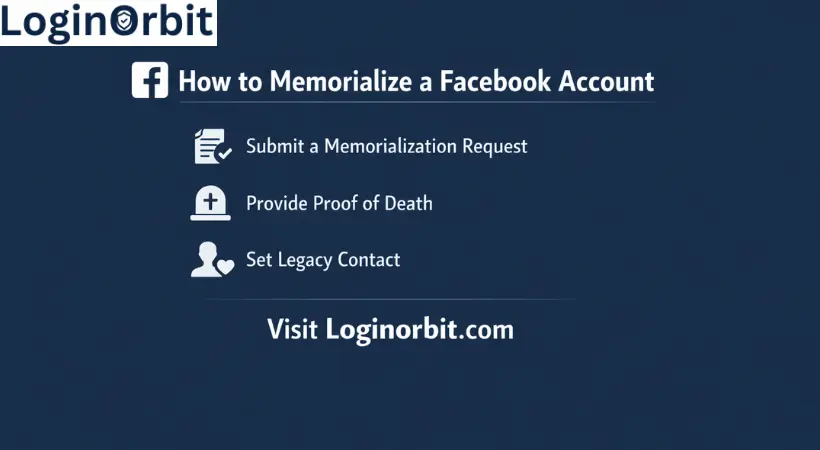
Before you start, gather these important documents:
- Death certificate: Official and matching the Facebook profile name
- Proof of your identity: Like a driver’s license or passport, to show your relation
- Additional documents: Obituaries or court papers can help speed up the process
Step-by-Step Memorialization Process
Here’s how I went through it myself. It’s easier than you might think:
- Find the full name and Facebook profile link of your loved one
- Gather proof of death (death certificate or obituary works best)
- Go to Facebook’s memorialization request page
- Fill out the form carefully, including your contact info and relationship
- Upload the proof of death document
- Submit and wait for Facebook to review your request
- Once approved, the account is memorialized and secured
What About Legacy Contacts?
A legacy contact is someone you trust to look after your Facebook profile after you’re gone. Think of it as naming a digital guardian.
Here’s what a legacy contact can do:
- Write a pinned post to share memories or announcements
- Update profile and cover photos
- Respond to new friend requests
But they cannot log in as you or read your private messages.
Setting one up is simple:
- Go to Facebook settings
- Find “Memorialization Settings”
- Pick someone you trust and notify them
How Does the Memorialized Account Look and Work?
Once memorialized:
- “Remembering” shows next to the name
- Posts and photos stay visible for friends to see
- No one can log in or change anything
- Friends can still post memories and comments
- New friend requests are disabled
The goal? Keep the profile safe and respectful while letting loved ones visit and remember.
Managing Privacy After Memorialization
If you’re a legacy contact or family member, you can adjust who sees the profile and controls posting permissions. For example:
- Limit visibility to close friends or family
- Allow or disable posts on the timeline
- Control who can tag the memorialized profile
- Hide contact info like email or phone to avoid misuse
Other Options Besides Memorializing
Not ready to memorialize? No problem. Here are some alternatives:
- Delete the account: Removes all data permanently
- Download memories: Save photos and posts offline before taking action
- Leave the account as is: Let it stay inactive but accessible
Tips for Preserving Digital Memories
Keeping memories safe is important. Here are some easy tips:
- Download important photos and videos to your computer or cloud
- Create a digital archive organized by date or event
- Share memories with family in private groups or shared folders
- Use clear captions so everyone understands the story behind each memory
FAQs
What Does It Mean To Memorialize A Facebook Account?
It means the account stays visible after death, with changes to protect it and honor the person.
How Do I Request Memorialization?
Submit a request on Facebook’s Help Center with proof of death like a death certificate or obituary.
Who Can Be A Legacy Contact?
A trusted friend or family member chosen by the account owner to manage the profile after death.
What Can A Legacy Contact Do?
They can post a pinned message, update photos, and handle friend requests. They cannot log in or see private messages.
Can Memorialized Accounts Be Deleted Instead?
Yes. Family members can request deletion with proper proof.
How Does Facebook Protect Memorialized Accounts?
By adding “Remembering” to the profile and locking the account from changes or logins.
Can A Memorialized Account Be Restored To Active Status?
No. Memorialization is permanent to respect the person’s memory.
Final Thoughts
Memorializing a Facebook account is a gentle way to honor a loved one online. It keeps their memories safe and lets friends and family share stories in a protected space. The process is simple once you have the right documents.
It’s a small step that can bring comfort in difficult times. Taking care of digital memories shows love and respect. Take your time, follow the steps, and remember—you’re keeping a legacy alive.